Running a cleaning business from a whiteboard and a group chat works — right up until it doesn't. One double-booked crew, one invoice that never went out, one no-show nobody caught, and suddenly you're spending Sunday night untangling the week instead of planning it.
Cleaning service software exists to take that Sunday night off your plate. Here's what it actually does, how to tell when you need it, and what to look for when you choose one.
What is cleaning service software?
Cleaning service software is a single system that runs the operational side of a cleaning company: scheduling jobs, dispatching cleaners, tracking hours, invoicing customers, and collecting payments. Instead of juggling a calendar app, a spreadsheet, a text thread, and an accounting tool, everything lives in one place — and everyone on your team sees the same schedule.
Five signs you've outgrown the whiteboard
- You've double-booked a crew this month. Manual calendars don't warn you about conflicts. Software does.
- Invoices go out days after the job. Every day between "job done" and "invoice sent" is a day you wait longer to get paid.
- You can't say who worked how many hours last week without calling around. GPS-verified clock in/out ends the guessing.
- New customers book by phone tag. An online booking form fills your calendar while you're out on jobs.
- Your best cleaner just quit and took the schedule in their head with them. When the plan lives in one person's memory, every departure is a crisis.
If two or more of those sound familiar, you're not disorganized — you've just outgrown your tools.
The features that actually matter
Drag-and-drop scheduling with conflict detection. You should be able to see the whole week, move a job with one gesture, and get warned before you double-book. Assigning by skill, location, or availability saves the daily puzzle-solving.
Invoicing that starts from the job. The invoice should build itself from work that's already logged — not get retyped into another tool. Online payment links get you paid days faster than paper checks.
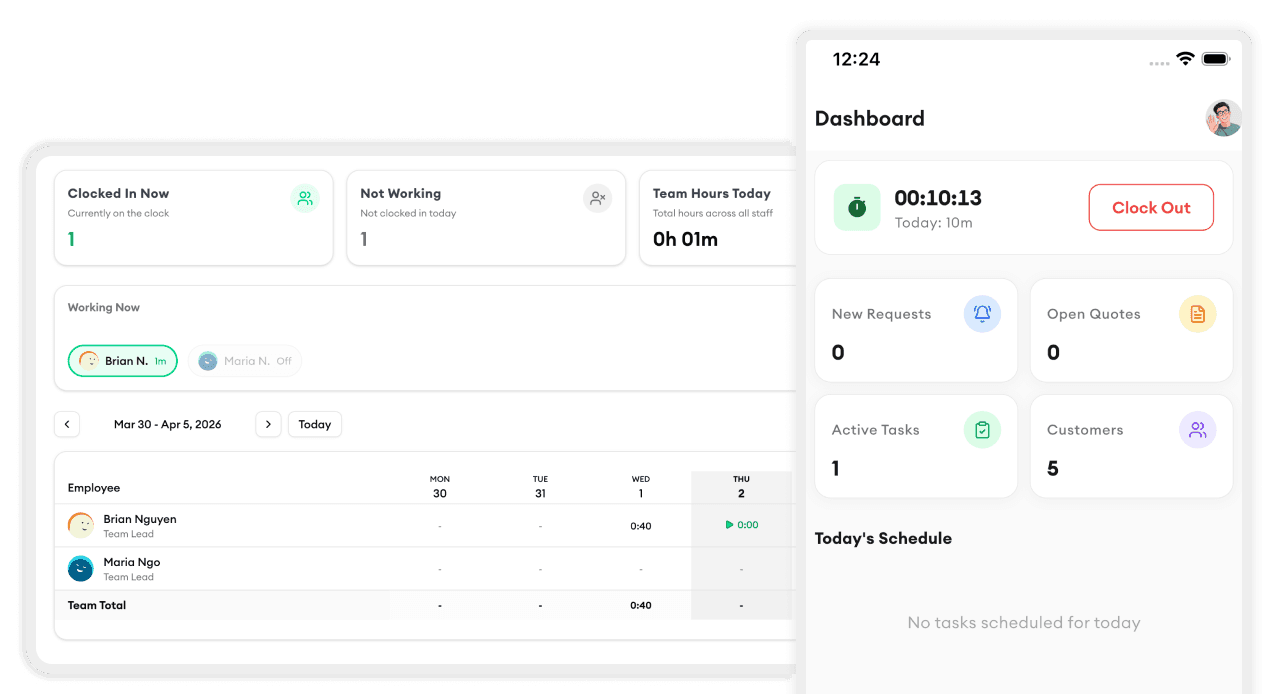
Mobile clock in/out. Cleaners start and end the day from their phone, with GPS verification and offline support for basements and dead zones. Timesheets generate themselves.
A customer directory with history. Gate codes, product preferences, pet warnings, and every past visit — searchable, not scattered across old texts.
A real-time dashboard. Who's working now, what's booked today, what revenue looks like this month. You shouldn't need to assemble that picture by hand.
How to choose
- Pick software your crew will actually use. If it takes a training week, it will quietly die. Look for something your team can learn in minutes.
- Check it works where they work. Web, iOS, Android — cleaning happens in the field, not at a desk.
- Start before you're desperate. Migrating in your busiest month is miserable. Import your customer list on a quiet week and grow into it.
- Watch the total cost. Per-user pricing punishes you for growing a crew. Flat, predictable pricing scales with you instead of against you.
The bottom line
Cleaning service software isn't about becoming a tech company — it's about getting the hours back that paperwork steals, invoicing the same day the job wraps, and knowing your schedule survives contact with a busy Monday.
Homitask was built for exactly this: scheduling, invoicing, time tracking, and customer management in one simple app that cleaning teams pick up in minutes. Book a demo and see your week on one screen.


