Job Scheduling
Schedule smarter. Get more done.
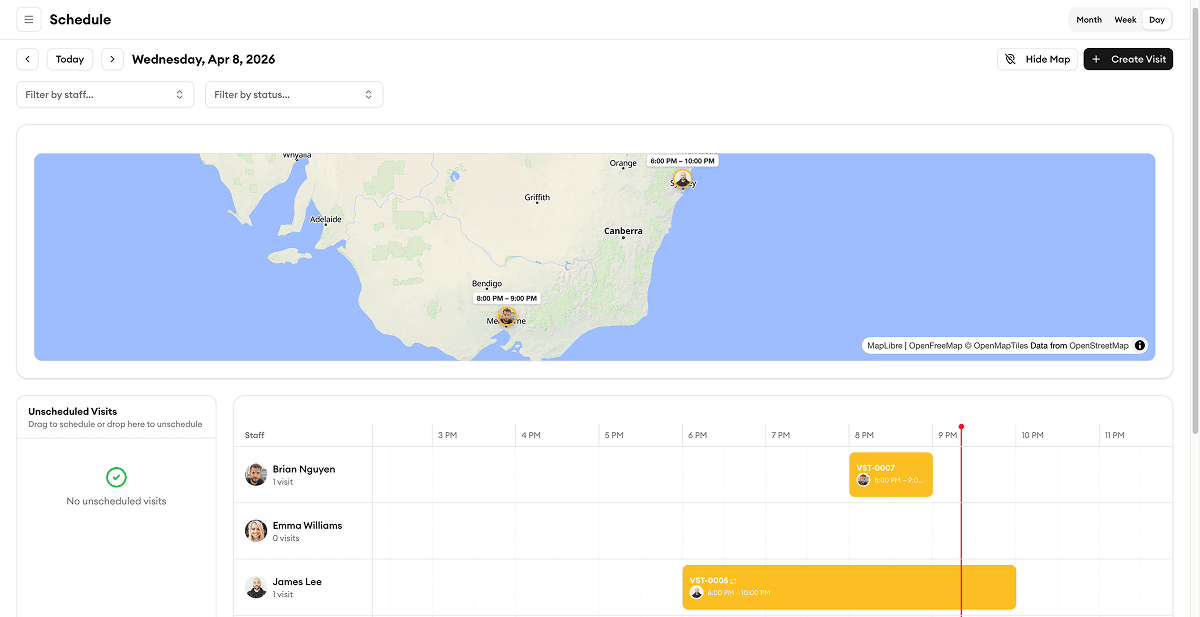
Drag and drop to schedule jobs, assign your crew, and track everything in real-time. Your team sees updates instantly on their phones.
Status Tracking
Track job progress from start to finish
See every job's status at a glance — pending, in progress, or completed. Your entire team stays in sync with real-time updates, so nothing falls through the cracks.
Team Assignment
Assign the right person to every job
Drag and drop to assign team members based on skills, availability, and location. Your crew gets notified instantly on their phone with all the job details they need.
Calendar
See your whole schedule at a glance
Switch between day, week, and month views to plan ahead. Color-coded jobs make it easy to spot conflicts, gaps, and opportunities to fit in more work.
Job Details
All the details, right where you need them
Attach notes, photos, checklists, and documents to every job. Your field crew has everything they need without calling the office.
Smart Scheduling
Schedule in seconds, not hours
Drag-and-drop calendar with smart conflict detection. Assign jobs by map, route, skill level, or availability. Reduce drive time and fit more jobs into every day.
What our customers say

“Saved us 15 hours a week on scheduling alone. My crew picked it up in a day — no training needed.”
Mike S.
Owner
Sullivan Plumbing Co.

“The map view cut our drive time by 30 percent. We fit two extra jobs into every day now.”
Lisa A.
Dispatcher
AquaFlow Plumbing

“My plumbers love the mobile app. They see the schedule, job details, and directions — no more calls back to the office.”
Peter W.
Owner
PipeMaster Pro

“Customer management finally makes sense. We know every property's service history before we even knock on the door.”
Priya P.
Operations Manager
DrainRight Services

“We stopped losing quotes in email threads. Now everything is in one place and we close jobs twice as fast.”
Robert C.
Owner
BrightWire Electric
More tools to grow your business

Service Request Tracking
Track every incoming request from submission to completion.
Learn more
Invoice Generation
Generate professional invoices from completed jobs with one click.
Learn more
Customer Directory
Search, filter, and manage all your customers in one place.
Learn more
Mobile Clock In/Out
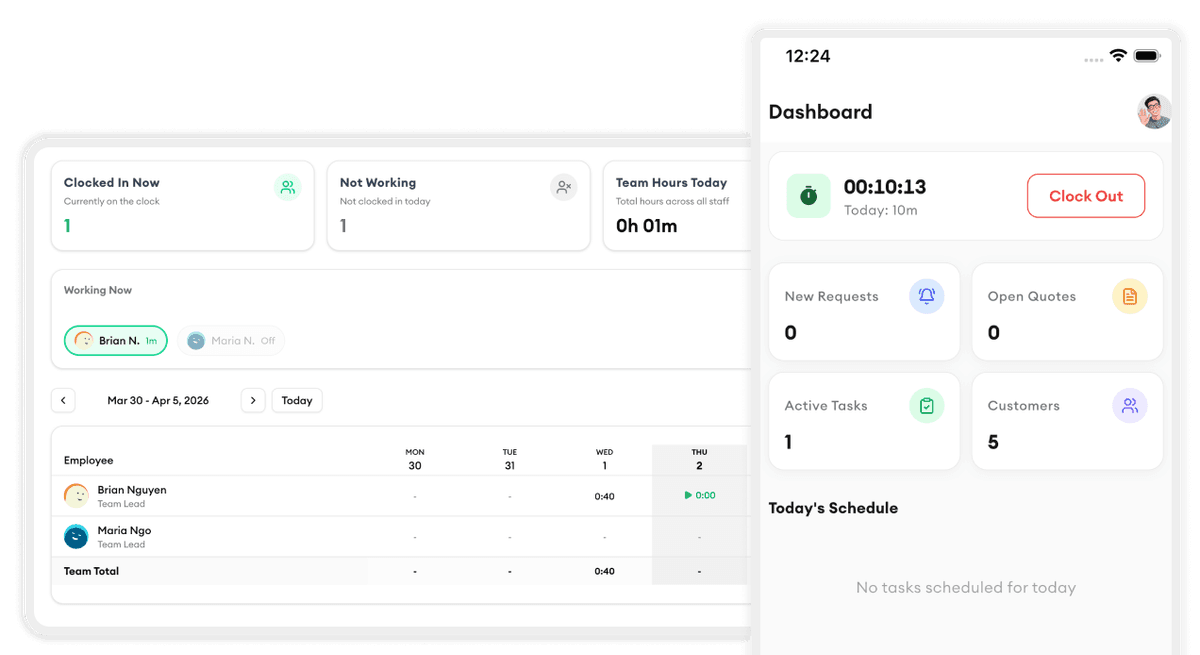
Your crew clocks in and out right from their phone with GPS verification.
Learn more
KPI Dashboard
Track revenue, completion rates, team performance, and trends.
Learn more
Team Management
Organize your team into groups with managers, schedules, and permissions.
Learn moreReady to simplify your scheduling?
Stop wasting hours on paperwork. Start scheduling smarter and get back to growing your business.
Frequently asked questions
How does drag-and-drop scheduling work?
Simply click on a job and drag it to the desired time slot on your calendar. You can assign it to a team member, change the date, or adjust the duration — all with drag and drop. Conflicts are flagged automatically.
Can my team see their schedule on their phone?
Yes. Your crew gets the Homitask mobile app where they can see their daily schedule, get directions to job sites, update job status, and add notes and photos — all in real-time.
What happens if two jobs overlap?
Homitask automatically detects scheduling conflicts and warns you before they happen. You'll see a visual alert on the calendar so you can reassign or reschedule before it becomes a problem.
Can I schedule recurring jobs?
Yes. Set up recurring jobs on a daily, weekly, or monthly basis. Homitask will automatically create and assign them based on your preferences.
How do I assign jobs to the right team member?
You can assign by drag and drop, or use smart assignment based on skills, certifications, location, and availability. The system suggests the best fit for each job.
Is there a free trial?
Yes. Homitask offers a 14-day free trial with full access to all features, including scheduling. No credit card required.