Service Request Tracking
Every request tracked. Nothing missed.
Follow every service request from the moment it comes in to the moment it's done. Your team stays organized, your customers stay informed, and nothing slips through the cracks.
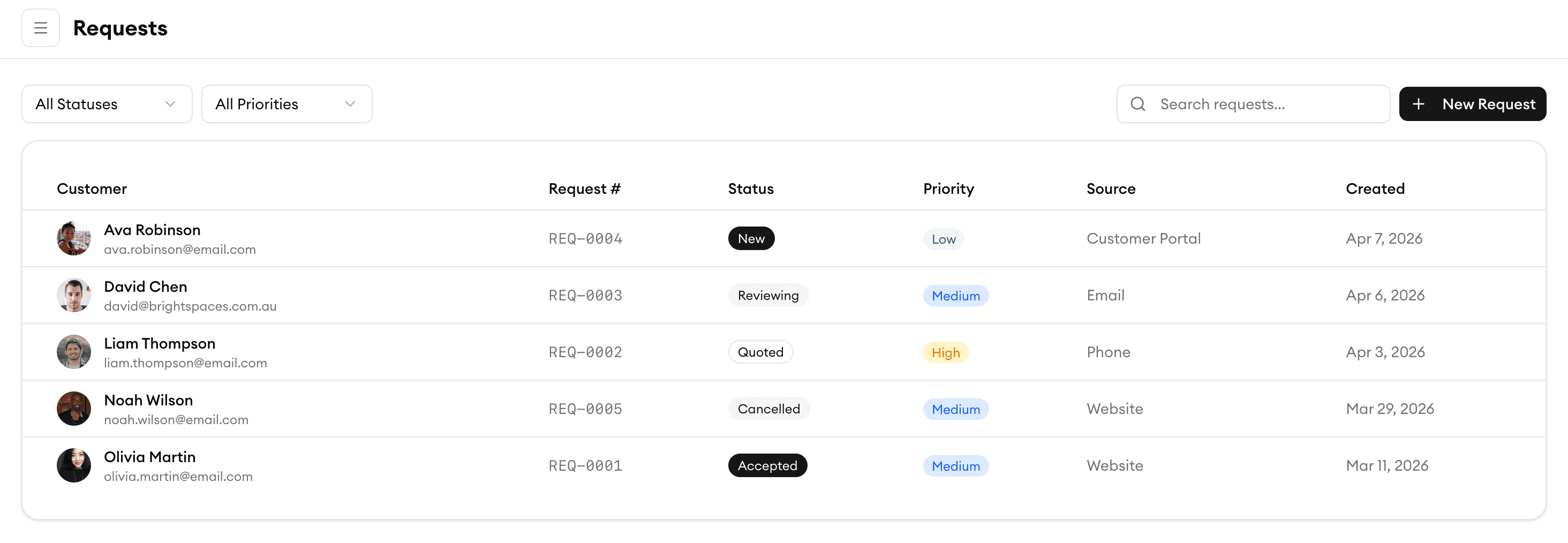
Centralized Inbox
One inbox for every service request
All incoming requests — from phone calls, emails, online forms, and walk-ins — land in a single, organized inbox. No more scattered sticky notes or lost voicemails. Your team sees everything in one place.
Request Details
Capture every detail upfront
Each request includes the customer's name, contact info, service type, location, photos, and notes. Your team has the full picture before they even pick up the phone, so they can respond faster and smarter.
Priority Tagging
Prioritize what matters most
Tag requests as urgent, high, normal, or low priority. Color-coded labels make it easy to spot emergencies at a glance so your team tackles the most critical work first — every time.
Assignment Workflow
Route requests to the right person instantly
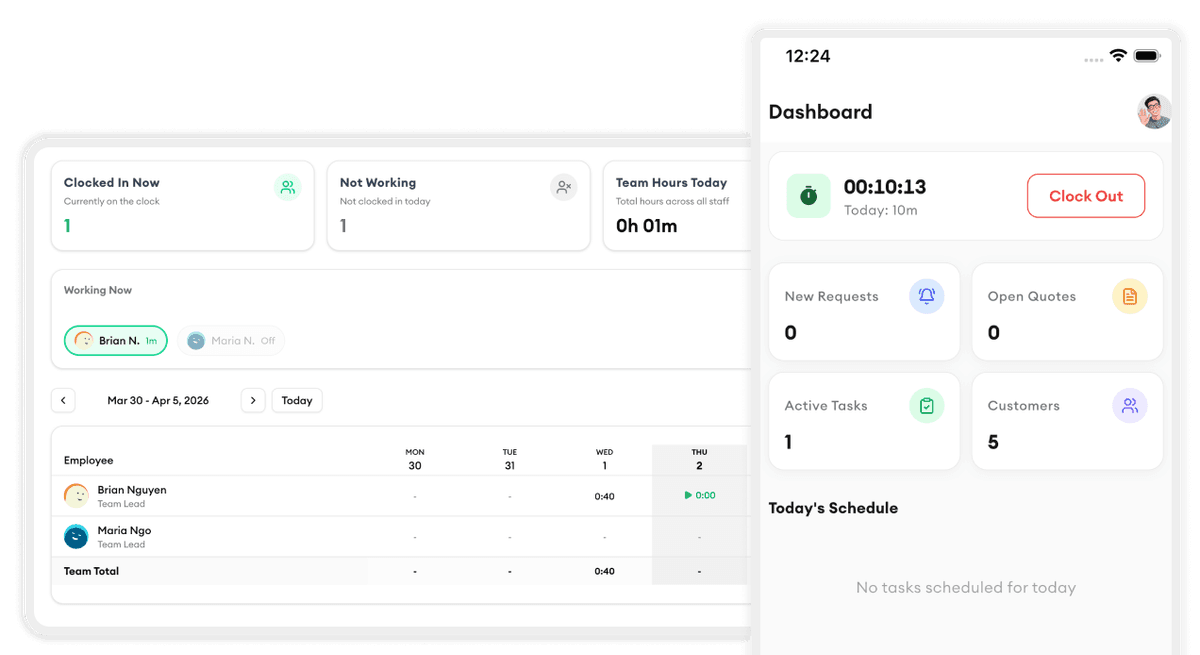
Assign incoming requests to team members based on skill, availability, or location. Automatic notifications ensure your crew knows exactly what needs to be done and when — no follow-up calls needed.
What our customers say

“The map view cut our drive time by 30 percent. We fit two extra jobs into every day now.”
Lisa A.
Dispatcher
AquaFlow Plumbing

“My plumbers love the mobile app. They see the schedule, job details, and directions — no more calls back to the office.”
Peter W.
Owner
PipeMaster Pro

“Customer management finally makes sense. We know every property's service history before we even knock on the door.”
Priya P.
Operations Manager
DrainRight Services

“We stopped losing quotes in email threads. Now everything is in one place and we close jobs twice as fast.”
Robert C.
Owner
BrightWire Electric

“Task assignment with skill matching means we never send the wrong electrician to a job. That alone is worth the price.”
Angela M.
Owner
Spark Electric Co.
More tools to grow your business

Job Scheduling
Drag and drop to schedule jobs, assign your crew, and track everything in real-time.
Learn more
Invoice Generation
Generate professional invoices from completed jobs with one click.
Learn more
Customer Directory
Search, filter, and manage all your customers in one place.
Learn more
Online Booking Form
Let customers book services online anytime, right from your website.
Learn more
KPI Dashboard
Track revenue, completion rates, team performance, and trends.
Learn more
Team Management
Organize your team into groups with managers, schedules, and permissions.
Learn moreReady to simplify your scheduling?
Stop wasting hours on paperwork. Start scheduling smarter and get back to growing your business.
Frequently asked questions
How do service requests get into the system?
Requests can come in through your online booking form, email, phone (entered manually by your team), or the customer portal. Every request lands in your centralized inbox regardless of the source.
Can I set up automatic assignment rules?
Yes. You can create rules that automatically assign requests based on service type, location, or team member availability. You can also manually assign or reassign requests at any time.
How does priority tagging work?
When a request comes in, you or your team can tag it as urgent, high, normal, or low priority. Urgent requests appear at the top of the queue with a visual alert so they're handled first.
Can customers see the status of their request?
Yes. Customers receive automatic status updates via email or SMS when their request is received, assigned, in progress, and completed. They can also check status through the customer portal.
What happens when a request is completed?
When your team marks a request as complete, the customer is notified, and the request moves to your completed archive. You can also trigger follow-up actions like sending an invoice or requesting a review.
Is there a free trial?
Yes. Homitask offers a 14-day free trial with full access to all features, including service request tracking. No credit card required.