Insights & Operations
Know your numbers. Run your day. Stay informed.
Track revenue and performance metrics, see today's schedule at a glance, and follow every action in real time — all from one powerful dashboard.
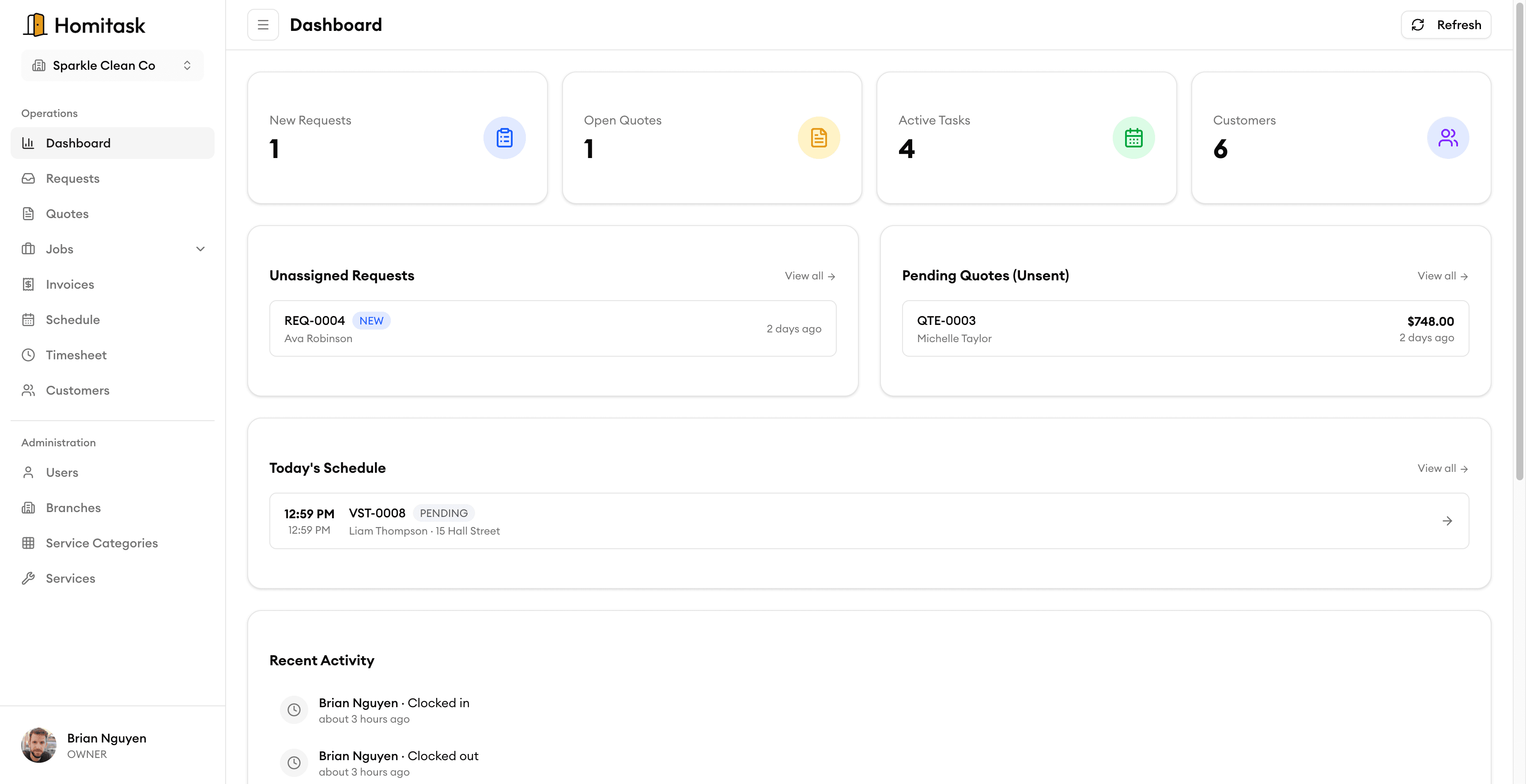
KPI Dashboard
Your whole operation on one screen
See new requests, open quotes, active tasks, and total customers at a glance. Quickly review unassigned requests and pending quotes that need attention — so nothing waits longer than it should. One dashboard, zero digging.
Today's Schedule
Every job today, at a glance
Start each morning with a complete picture of the day ahead. See all scheduled jobs, their status, assigned technicians, and time slots. Watch jobs move from scheduled to in-progress to completed in real time as your crew updates from the field.
Activity Feed
Watch your business happen in real time
Every job update, team check-in, and status change appears instantly in your activity feed. Filter by team member, job, or date range to find exactly what you need. Every action is logged and timestamped — a complete audit trail for your operation.
What our customers say

“Task assignment with skill matching means we never send the wrong electrician to a job. That alone is worth the price.”
Angela M.
Owner
Spark Electric Co.

“The team timesheet feature ended all the payroll headaches. My guys clock in on their phone and I export to payroll in one click.”
Carlos R.
Field Supervisor
PowerLine Pros

“Online booking brought in 12 new jobs in the first week. Customers love being able to book on our website 24/7.”
Karen D.
Office Manager
Volt Masters

“We doubled our revenue in 6 months after switching to Homitask. The invoicing and scheduling features are game-changers.”
Maria S.
Owner
Sparkle Clean Services

“My cleaners see their daily schedule, client notes, and directions on their phone. No more confusion or missed appointments.”
James T.
Operations Manager
FreshStart Cleaning
More tools to grow your business

Job Scheduling
Drag and drop to schedule jobs on a visual calendar.
Learn more
Task Assignment
Assign tasks based on skills, availability, and location.
Learn more
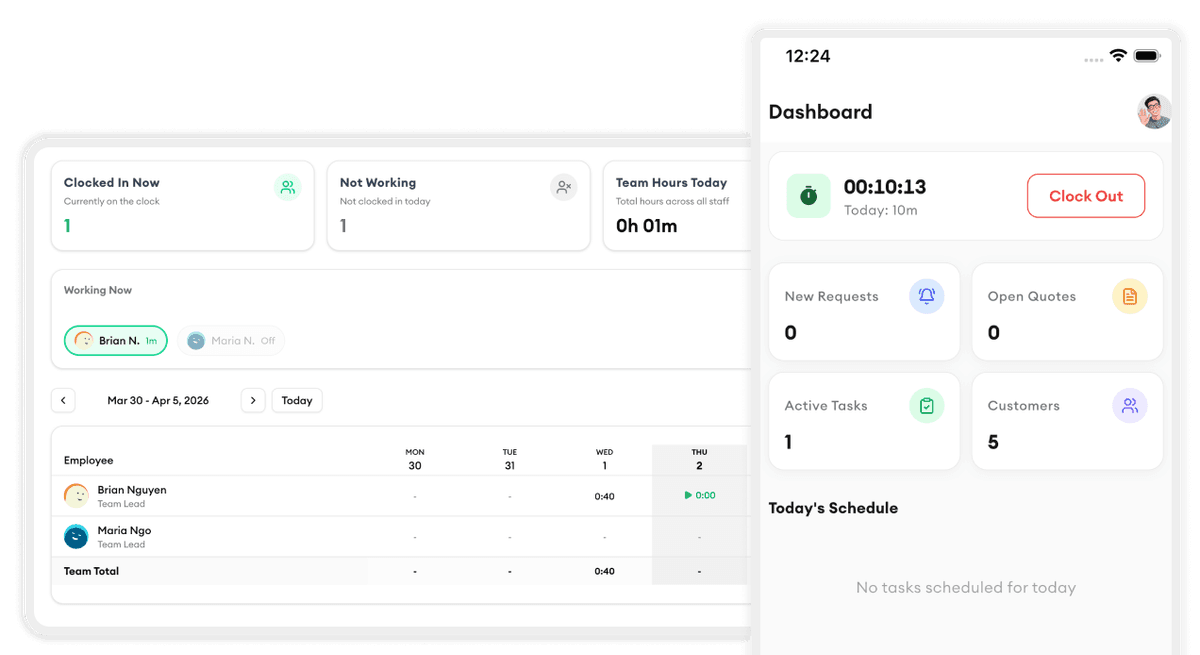
Team Timesheet
Track hours, review timesheets, and export to payroll.
Learn more
Calendar Views
Switch between day, week, and month views to plan work.
Learn more
Team Management
Manage staff profiles, roles, and team organization.
Learn more
Mobile Clock In/Out
GPS-verified clock in/out from any phone with offline support.
Learn moreReady to simplify your scheduling?
Stop wasting hours on paperwork. Start scheduling smarter and get back to growing your business.
Frequently asked questions
What metrics does the KPI Dashboard track?
Revenue, average job value, revenue by service type, job completion rates, team performance, and trend charts. You can filter by date range, service type, or team member.
Does Today's Schedule update in real time?
Yes. As your crew updates job statuses from the field, Today's Schedule reflects changes instantly — no refreshing needed.
Can I filter the Activity Feed?
Yes. Filter by team member, job, customer, date range, or action type. Every event is searchable, even across thousands of daily activities.
Can I export reports from the dashboard?
Yes. Export any report or data view as CSV or PDF with one click, ready for your accountant or management review.
Is there a free trial?
Yes. Homitask offers a 14-day free trial with full access to all features. No credit card required.