Mobile Clock In/Out
Your crew clocks in from anywhere. You see it instantly.
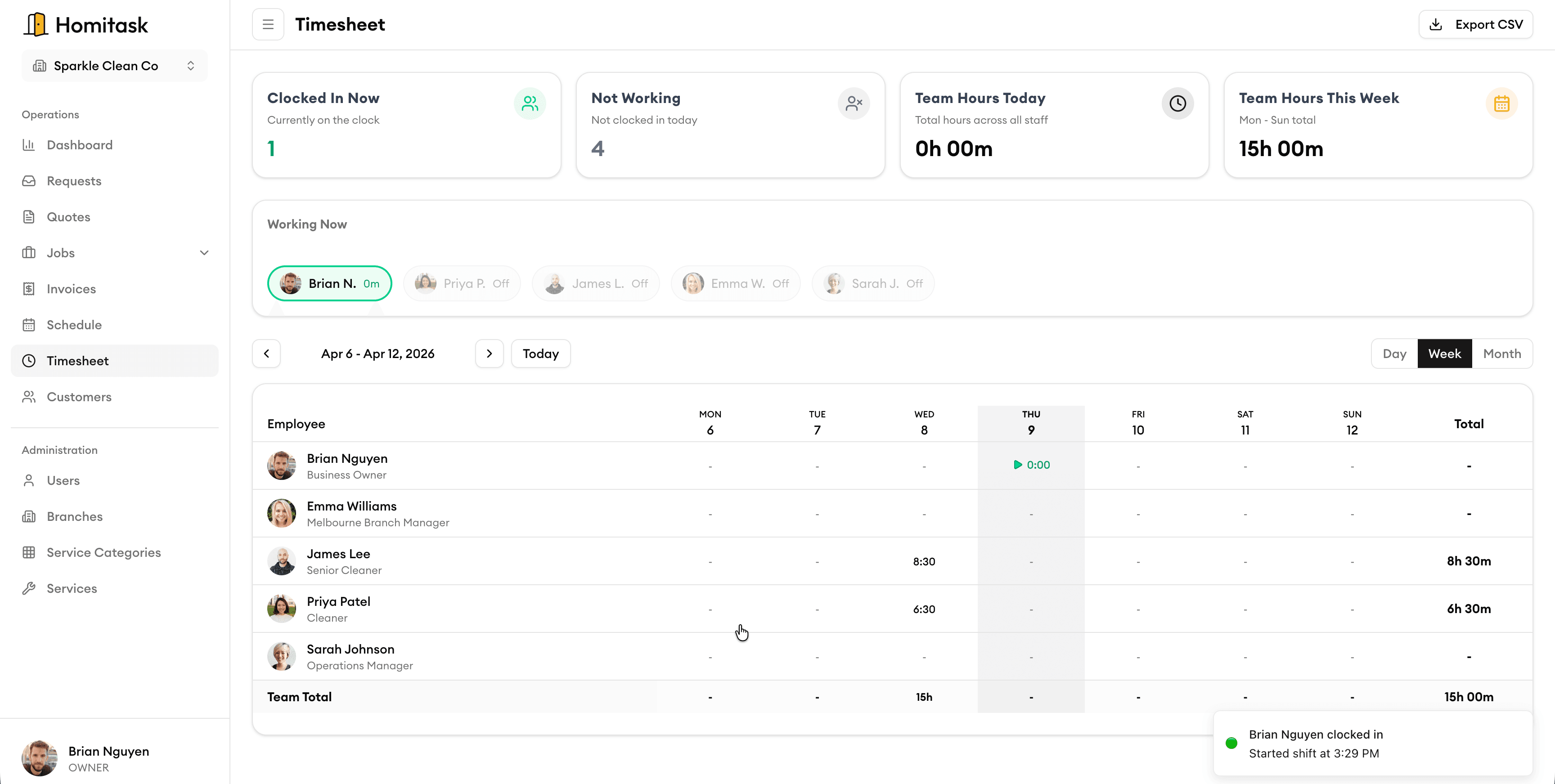
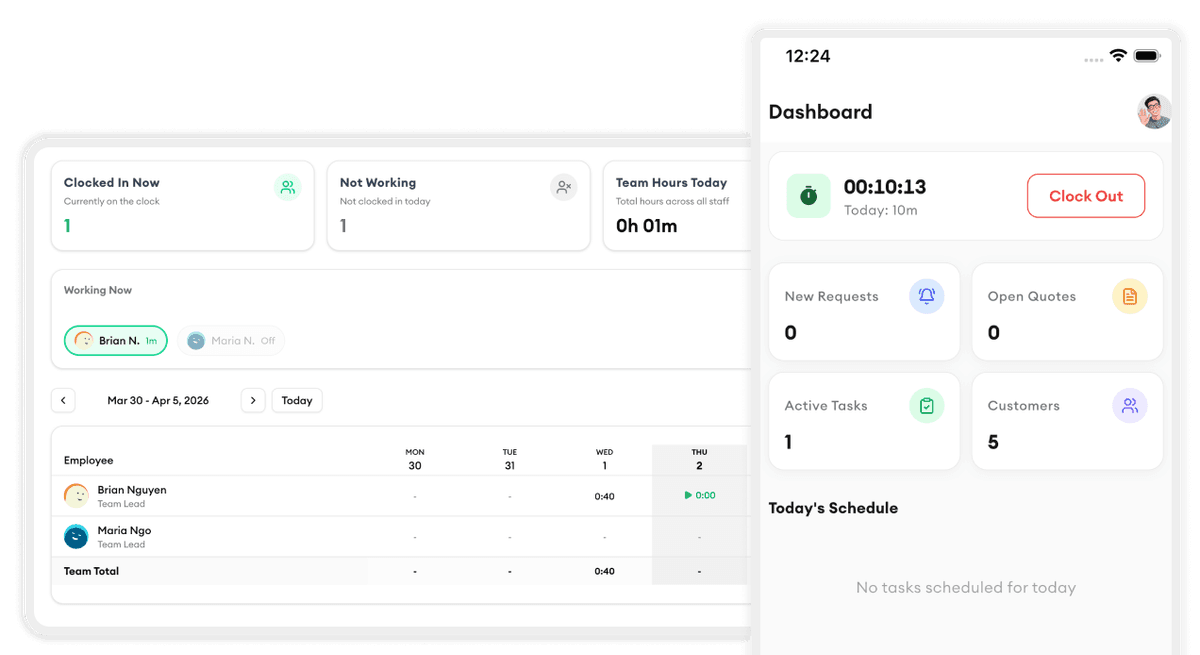
Staff clock in and out straight from their phone — even without internet. Every entry syncs automatically and triggers a notification to your admin panel so you always know who's working and for how long.
Clock In Anywhere
One tap to start and end the day
Your staff clock in and out from their mobile phone wherever they are — on site, on the road, or at a customer's home. No hardware, no paper timesheets. Just open the app, tap, and they're on the clock.
Works Offline
No signal? No problem.
Clock entries are saved locally on the device and sync to the server the moment an internet connection is available. Your crew never misses a clock-in because of poor mobile coverage — the data is always captured and always accurate.
Instant Admin Notifications
Know the moment your team starts or finishes
Every clock-in and clock-out sends a real-time notification straight to the admin panel. You see who just started, who just finished, and can react immediately if someone is late or missing from the schedule.
Daily Hours Tracking
See how long each person has worked today
The admin panel shows a live view of total hours worked per staff member for the day. At a glance, you know who's been on the clock, how long they've worked, and whether anyone is approaching overtime — all updated in real time.
What our customers say

“We doubled our revenue in 6 months after switching to Homitask. The invoicing and scheduling features are game-changers.”
Maria S.
Owner
Sparkle Clean Services

“My cleaners see their daily schedule, client notes, and directions on their phone. No more confusion or missed appointments.”
James T.
Operations Manager
FreshStart Cleaning

“So easy to use. We onboarded our entire team in one afternoon and never looked back.”
Emily C.
Team Lead
PristinePro Services

“The customer directory keeps every property's access codes, preferences, and history in one place. Our clients are always impressed.”
Tom B.
Owner
GreenSweep Cleaning

“Managing 3 crews used to take half my day. Now I do it in 15 minutes with Homitask.”
Jason K.
Owner
GreenScape Pro
More tools to grow your business

Job Scheduling
Drag and drop to schedule jobs, assign your crew, and track everything in real-time.
Learn more
Team Management
Organize your team into groups with managers, schedules, and permissions.
Learn more
KPI Dashboard
Track revenue, completion rates, team performance, and trends at a glance.
Learn more
Invoice Generation
Generate professional invoices from completed jobs with one click.
Learn more
Service Request Tracking
Track every incoming request from submission to completion.
Learn more
Customer Directory
Search, filter, and manage all your customers in one place.
Learn moreReady to simplify your scheduling?
Stop wasting hours on paperwork. Start scheduling smarter and get back to growing your business.
Frequently asked questions
How does GPS clock-in work?
When your team member taps 'Clock In' on their phone, Homitask automatically records their GPS coordinates along with the timestamp. You can view the exact location on a map in your dashboard for every clock-in and clock-out event.
What is geofencing and how do I set it up?
Geofencing lets you draw a virtual boundary around a job site on a map. Once set, your crew can only clock in when their phone's GPS shows they are within that boundary. You can set up a geofence in seconds by dropping a pin and adjusting the radius.
Can my crew clock in without internet access?
Yes. Homitask works offline. Clock-in and clock-out events are saved locally on the device and automatically synced to your dashboard once the phone reconnects to the internet.
How does photo verification prevent buddy punching?
You can require a timestamped selfie with every clock-in. The photo is attached to the time entry so you can visually confirm the right person was on site. This makes it virtually impossible for someone to clock in on behalf of a coworker.
Does Homitask track overtime automatically?
Yes. You set your overtime thresholds — for example, 8 hours daily or 40 hours weekly — and Homitask calculates overtime automatically. You also get real-time alerts when a team member is approaching the limit so you can act before costs increase.
Is there a free trial?
Yes. Homitask offers a 14-day free trial with full access to all features, including mobile clock in/out, geofencing, and overtime tracking. No credit card required.