Team Timesheet
Track every hour. Pay with confidence.
See who's on the clock in real time, review and edit timesheets, and export to payroll — all from one place. No more paper timesheets, no guesswork.
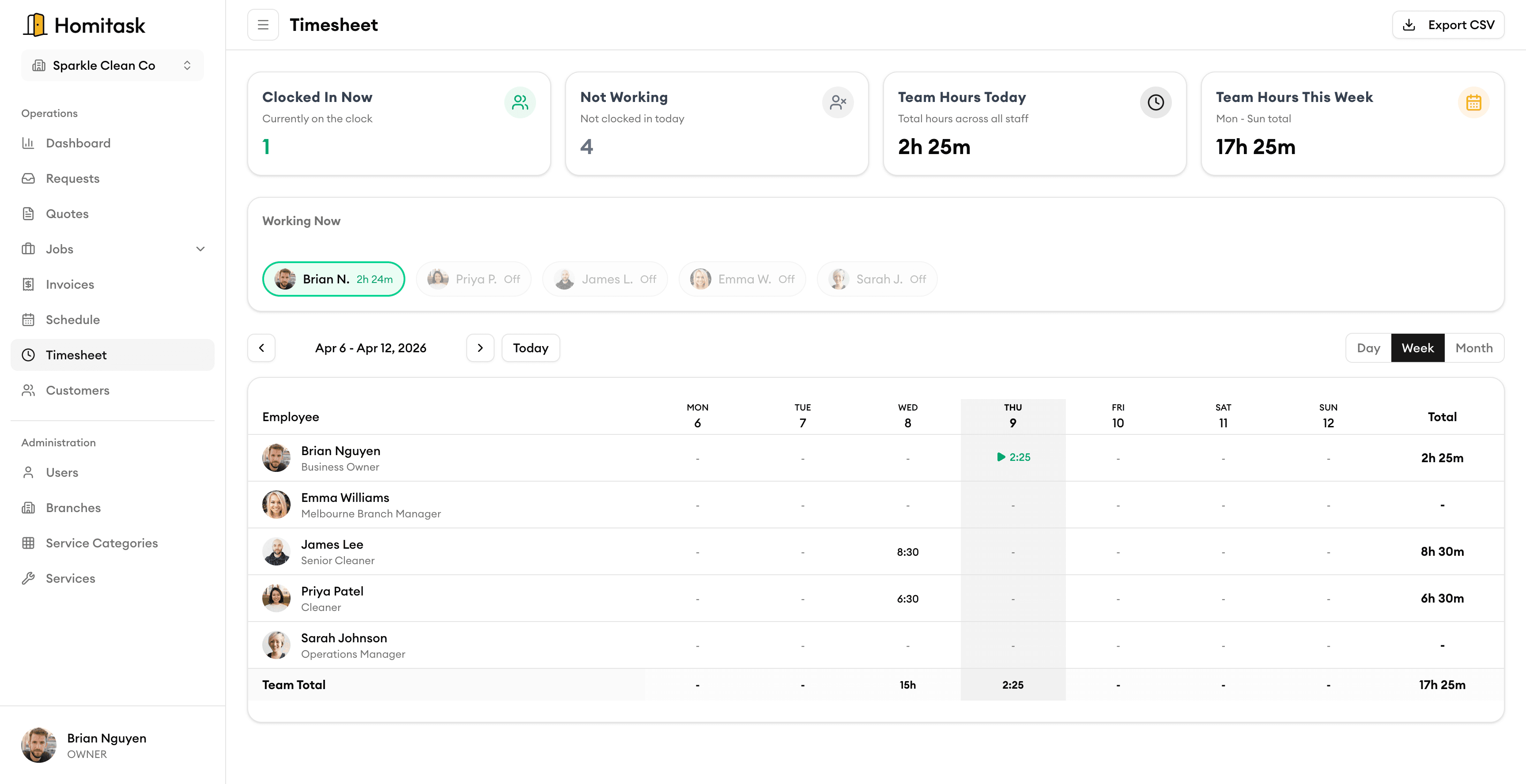
Weekly Timesheets
Simple weekly timesheets your team will actually use
Your crew logs hours daily or weekly right from their phone. Start and end times, breaks, and job codes are captured automatically. No more chasing paper timesheets at the end of the week.
Live Clock Status
See who's on the clock, right now
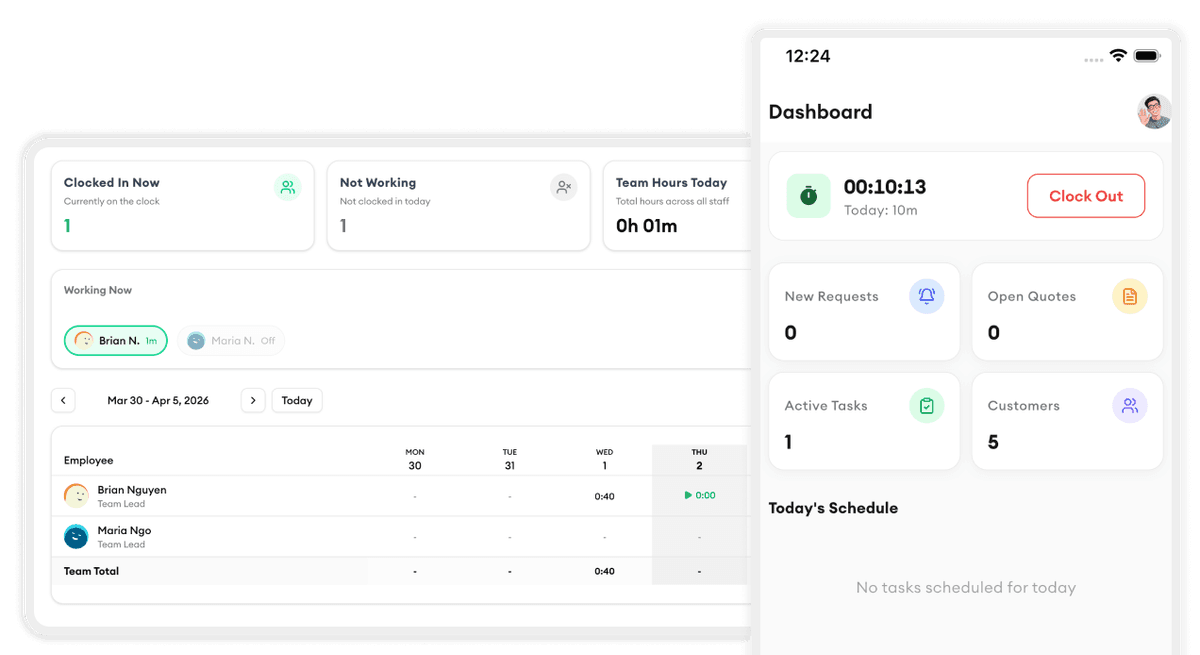
A real-time dashboard shows who's clocked in, who's on break, and who hasn't started yet. The view updates automatically so you always have the latest picture of your workforce without making a single phone call.
Team Overview
See your entire team's hours at a glance
One dashboard shows every team member's logged hours, overtime, and missing entries. Spot issues early — like someone working too many hours or forgetting to submit — before they become payroll problems.
Timesheet Editing
Fix time entries in seconds, not hours
Edit any clock-in or clock-out time with a few clicks. Add notes explaining the change, and every edit is logged with who made it, the original value, and the reason — keeping your records accurate and audit-ready.
What our customers say

“The mobile clock in/out works even in areas with no signal. My crews clock in on-site and it syncs later. No more guesswork.”
Daniel M.
Crew Leader
Evergreen Landscapes

“Quotes used to take us hours. Now I build and send them from my phone before I leave the property.”
Rachel B.
Office Manager
PrimeLawn Care

“We went from sticky notes to running a real business in one week. Homitask changed everything for our HVAC company.”
Ryan M.
Owner
ComfortAir HVAC

“Scheduling used to take an hour every morning. Now it takes five minutes and my crew gets notified instantly on their phone.”
Dana K.
Operations Manager
CoolBreeze HVAC

“The quoting feature won us three jobs in the first week. We send professional quotes from the job site before our competitors even pick up the phone.”
Marcus J.
Owner
ThermalPro Services
More tools to grow your business

Mobile Clock In/Out
GPS-verified clock in/out from any phone with offline support.
Learn more
Daily Time View
See a clear daily breakdown of your team's time by technician and job.
Learn more
Task Assignment
Assign tasks to your crew based on skills, availability, and location.
Learn more
KPI Dashboard
Track team performance, completion rates, and revenue trends.
Learn more
Team Management
Organize your team into groups with roles, permissions, and schedules.
Learn more
Job Scheduling
Drag and drop to schedule jobs on a visual calendar.
Learn moreReady to simplify your scheduling?
Stop wasting hours on paperwork. Start scheduling smarter and get back to growing your business.
Frequently asked questions
Can my team fill in timesheets from their phone?
Yes. Your crew can log hours, start/end times, and breaks directly from the Homitask mobile app. Entries sync automatically when they have an internet connection.
Can I see who's currently clocked in?
Yes. The live clock status dashboard shows real-time clock-in status for your entire team. You can see who's working, who's on break, and who hasn't started yet.
What happens if a time entry needs to be corrected?
Managers can edit any time entry directly. Every change is logged with who made the edit, the original value, the new value, and a note — giving you a complete audit trail.
Can I export timesheets for payroll?
Yes. Export timesheets as CSV or PDF, filtered by date range, team member, or job. The data is ready for your payroll provider or accountant.
Does it track overtime automatically?
Yes. Homitask calculates total hours per day and per week for each team member. Overtime is flagged automatically based on your configured thresholds.
Is there a free trial?
Yes. Homitask offers a 14-day free trial with full access to all features, including team timesheets. No credit card required.